Omarchy Quattro was released two months ago, and already there are over 5,500 plugins on plugins.omarchy.org. That’s quite dizzying, and it can be hard to find a gem in a pile of unmaintained vibe-coded plugins.
So I wanted to make a short list of the plugins I find the most useful. But first, here are a few principles I try to follow regarding plugins:
- Not everything needs to be a plugin. Plugins are great, but sometimes all I really need is an app, a script or even just a shortcut. It’s so easy to overdo it and turn the Omarchy bar into a full array of little icons!
- If a plugin is really useful, it should have its own Hyprland keyboard shortcut. I shouldn’t have to aim my mouse at that little icon.
- A great plugin usually does 90% of what I want. For the remaining 10%, I fork it and tell my agent exactly how I want it to work. Then, once in a while, I ask my agent to check the upstream repository to see if there are any improvements worth merging.
With that said, here are my 5 favorite plugins of 2026, in no particular order.
1. OmaCal
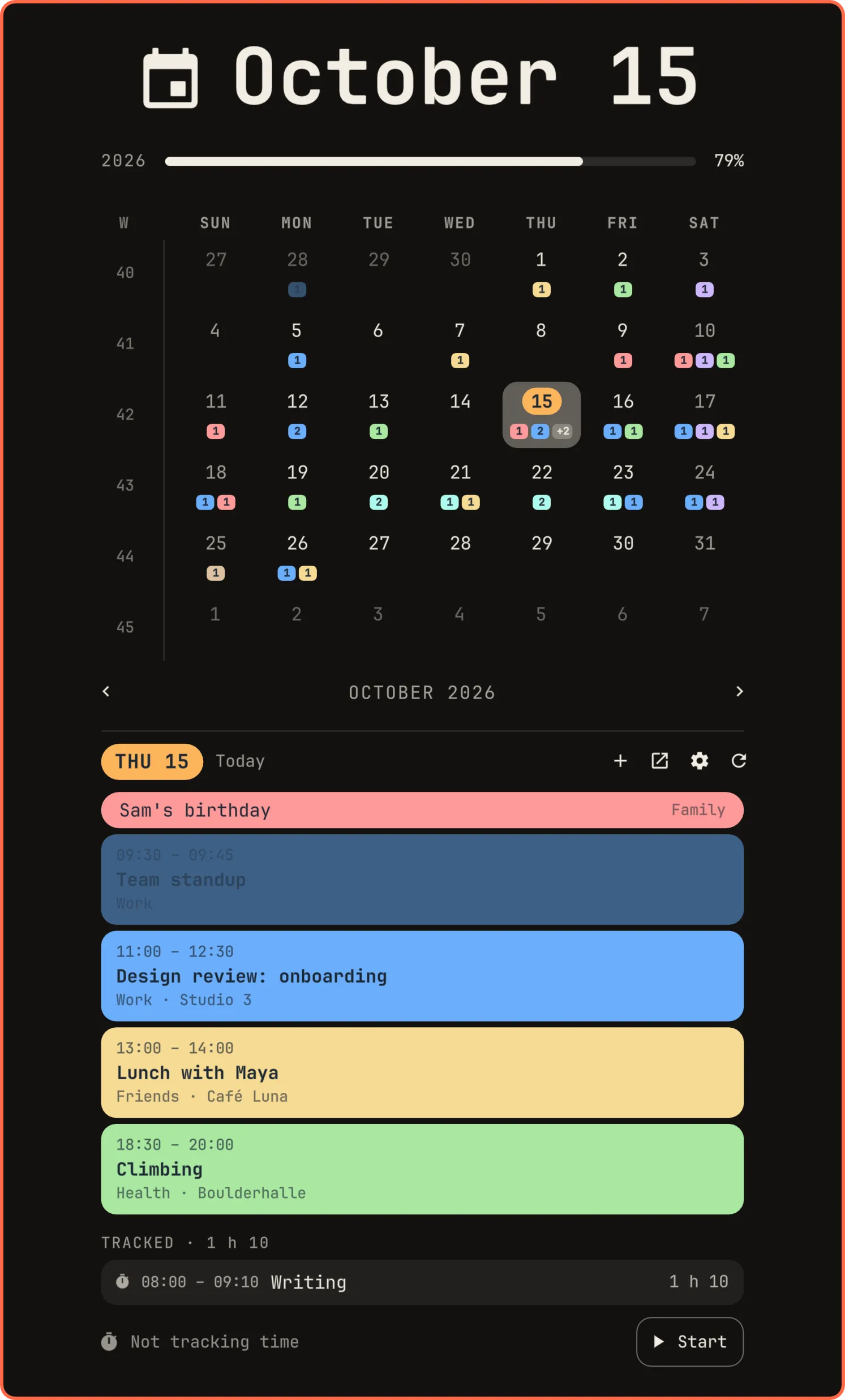
Carmine Paolino creates some of the best-looking plugins and apps for Omarchy. He’s the creator of ZapFast and Spotifast, two apps you should check out if you use WhatsApp or Spotify on a regular basis.
OmaCal is a rewrite of the stock Omarchy calendar that pops up when you click on the date. It adds support for HEY Calendar. I personally use Google Calendar, and fortunately there was an open PR on the repo to support it. So I asked my agent to create a fork of the plugin based on the PR. Although it was a bit cumbersome to get my account working, I really appreciate the aesthetics and functionality of being able to see my whole calendar and add or modify events.
Check out all of Carmine’s projects on his website. I also really enjoy the Todoist plugin.
2. Time Machine
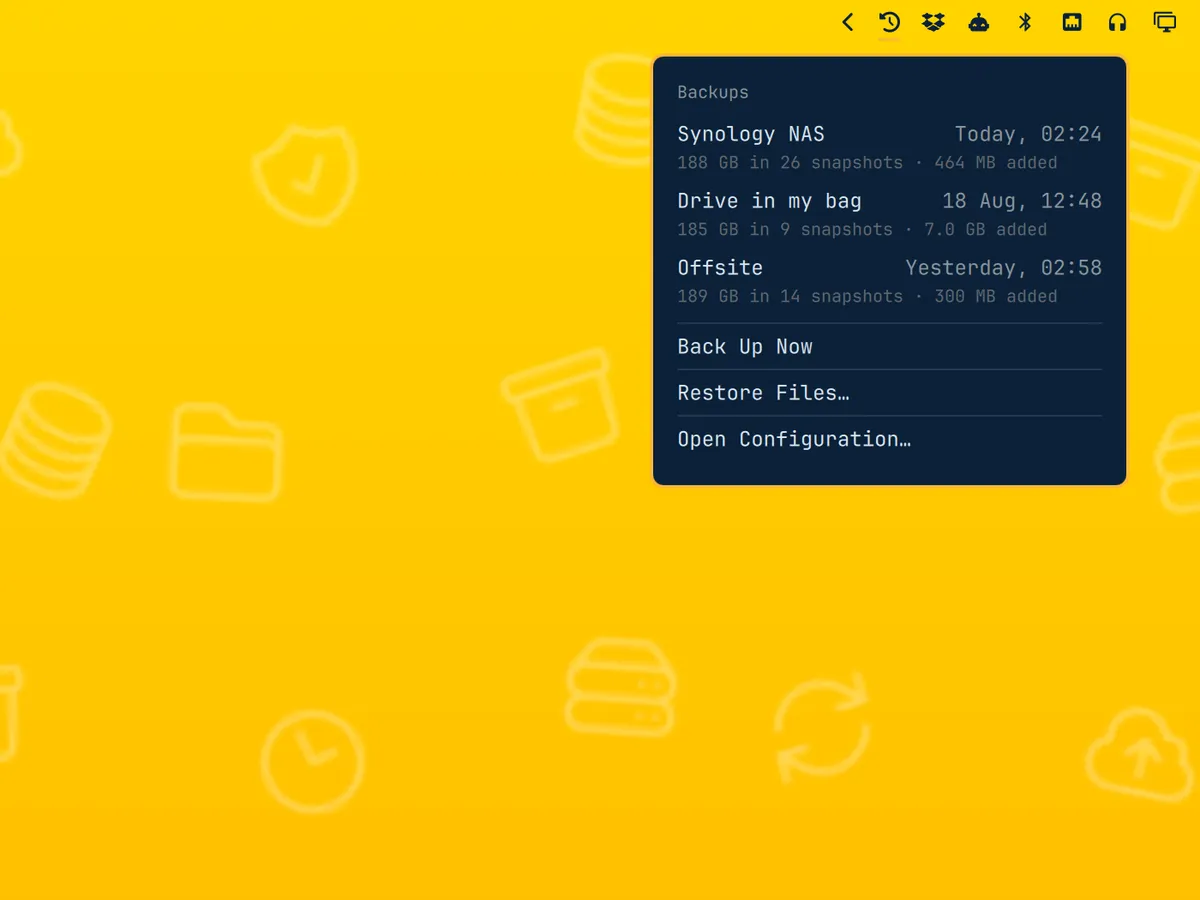
Do you back up your computer? You’d better, and you have no reason not to with this plugin. It uses Restic to automate backing up your home directory to the cloud. I was already using restic, as I described in my backup setup post, but now I have visual confirmation of my backup and I can restore files easily.
Jankees van Woezik, the creator of this plugin, has been on a roll lately and I strongly recommend you check out his other plugins and apps for Omarchy.
3. Spaces
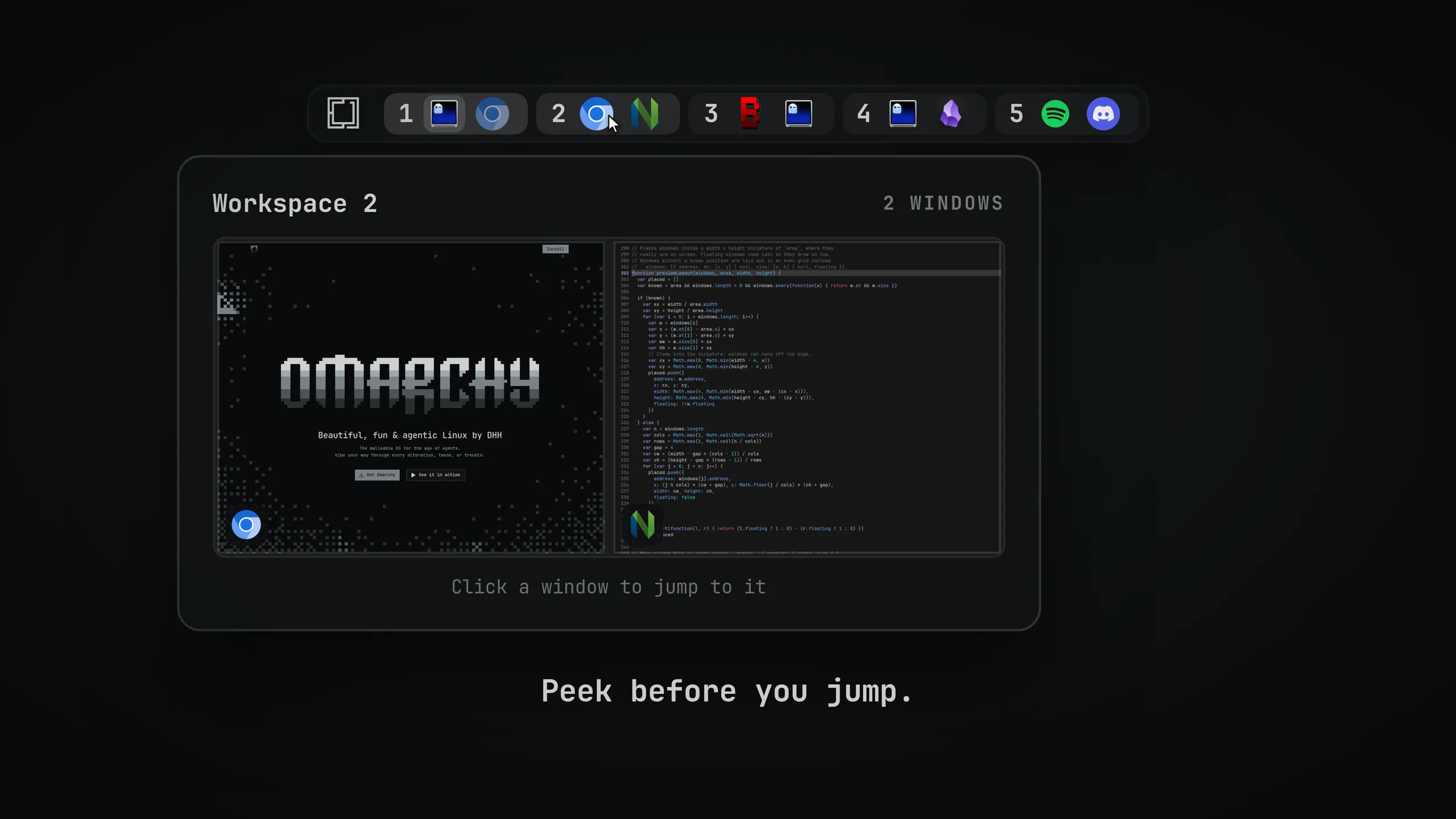
It’s easy to get lost in your workspaces. Where did I put this app? Is it on workspace 5 or 6? Spaces turbocharges the default Omarchy workspace indicators in the bar to show you what’s open in which workspace. There are tons of little customizations you can play with to get the right visual cues.
4. hyprmoncfg
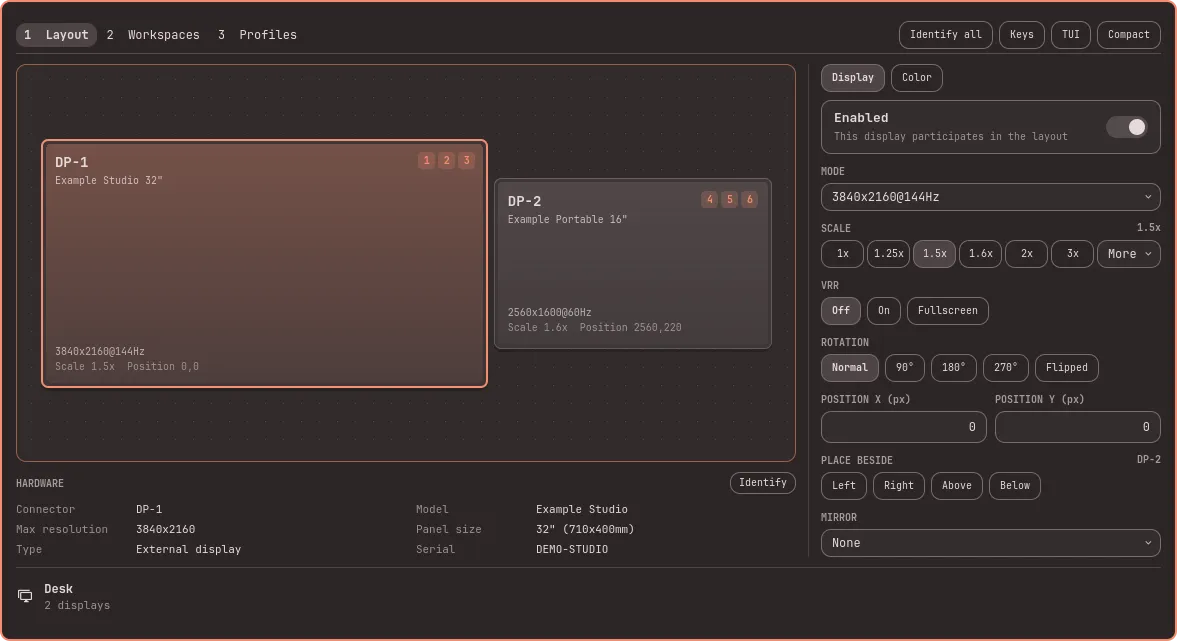
Not sure how to pronounce this one, but it’s a must-have if you work on more than one monitor. It replaces the default Omarchy display icon so you can manage monitor placement and associate workspaces with them. It’s so nice to just plug my laptop into my external monitor and have all the workspaces arranged in the right place.
Oh, and this is also a plugin from Carmine Paolino, so you know it’s been developed with care and will probably be actively maintained.
5. Tray
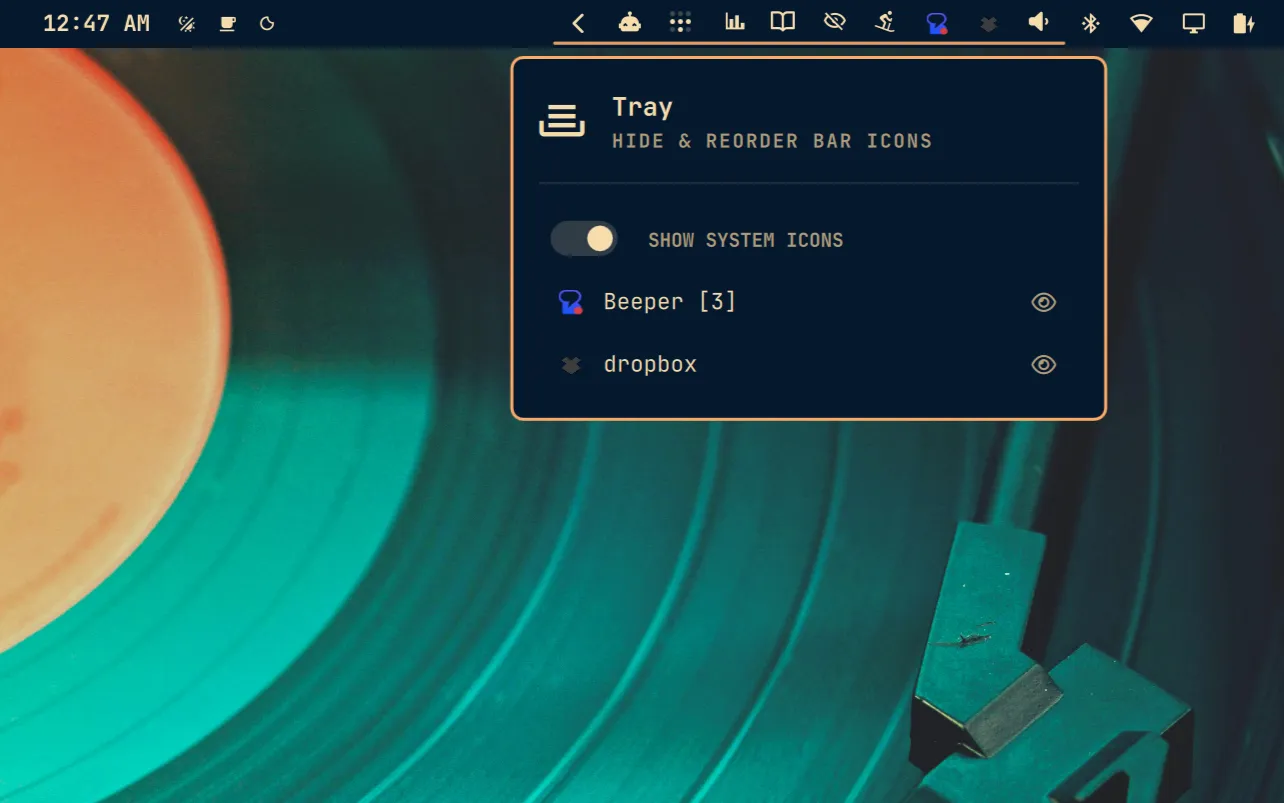
So are you starting to have a bit of plugin fatigue? Do you have more little icons in your bar than balls on a Christmas tree? Do not despair because this last plugin will help you tidy up!
Tray is a drop-in replacement for the Omarchy tray, that little < icon in the bar that expands to show apps running in the background. Tray lets you drag and drop plugins into the tray so they are out of the way. It won’t change your life, but you can stash the plugins you don’t use often and reclaim some zen for your setup.
Which plugins will become part of Quattro RS?
The next version of Omarchy, Quattro RS, will probably take some inspiration from all these popular plugins flourishing right now. I would not be surprised if it makes a few of my plugins obsolete, and that will mean fewer things to maintain.